
x86 operating system
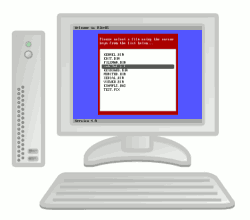 MikeOS
is an operating system for x86 PCs, written in assembly language. It is
a learning tool to show how simple 16-bit, real-mode OSes work, with
well-commented code and extensive documentation. Features:
MikeOS
is an operating system for x86 PCs, written in assembly language. It is
a learning tool to show how simple 16-bit, real-mode OSes work, with
well-commented code and extensive documentation. Features:
- A text-mode dialog and menu-driven interface
- Boots from a floppy disk, CD-ROM or USB key
- Over 60 system calls for use by third-party programs
- File manager, text editor, image viewer, games...
- Includes a BASIC interpreter with 46 instructions
- PC speaker sound and serial terminal connection
The code is completely open source (under a BSD-like license), and is written by Mike Saunders and other developers.

News
- 17 Mar 2019: MikeOS 4.6.1 released -- Includes an updated macOS build script, documentation updates, and MikeTron from TachyonOS. Get it here!
- 9 Feb 2019: MikeOS 4.6 released! -- Many updates in this release, including a Forth Handbook, extra CLI commands, updates to the supplied BASIC apps and more; see doc/CHANGES.TXT for the full list.
- 29 Jul 2018: New spin-off project, MichalOS -- An awesome new MikeOS-based project that runs in 32-bit "unreal" mode, has VESA graphics and built-in mouse functions, custom fonts, a screensaver and more. Check it out!
- 21 Dec 2014: MikeOS 4.5 released -- Lots of new features, including a Forth interpreter. See the changelog for all the details.
- 10 Jun 2014: Moved to SourceForge -- BerliOS has closed down, so MikeOS has moved to SourceForge. Please update your links!
- 28 Oct 2013: MikeOS mouse library released -- Joshua Beck has implemented his TachyonOS mouse code as a MikeOS library. See the Downloads section below.
- 22 Jun 2013: First-steps guide updated -- The guide to making your own simple bootloader OS has been updated with a link to Windows build instructions.
- 23 Mar 2013: MikeOS 4.4 released -- Sudoku, Cosmic Flight, new BASIC features and much more.
- 1 Mar 2013: New TachyonOS project -- A very cool MikeOS spin-off with lots of experimental new features. Click here for the website.

Downloads
The link below contains the source code (see the source and programs directories), along with disk images for floppies/USB keys and CD-Rs in the disk_images folder.
You can write the images to a floppy disk, USB key or CD-R and boot your PC from them to test -- or use a PC emulator such as QEMU, VirtualBox or VMware. See the User Handbook below for a guide. System requirements: minimum 386 PC with a keyboard and 1MB of RAM.
Here are some contributed add-on programs:
- Joshua's MikeBASIC apps -- Visualizer, Calculator, Memory Manipulator, MikeBASIC++ dev kit and more
- Mouse library -- Add mouse support to MikeOS programs
- MikeOS C library (84K) -- Write programs in C (see ReadMe.txt)
- MikeOS Xfer (68K) -- Xmodem file uploader (see Xfer.htm)
- BFM file manager -- With editor and viewer, by Ondrej Cerman
- BIN2POKE -- Convert .bin files to BASIC POKE routines, from Paulo Valongo
And projects that use MikeOS:
- Analogue to Digital Converter (244K) -- Project for kids
- Test Card Generator (17K) -- Basic engineering tool (see README.TXT)
- Monitor alignment tool (14K) -- Written in MikeOS BASIC
- Arduino project (216K) -- Arduino Diecimila board access using MikeOS
- USB keyboard project (585K) -- USB KB I/O project/guidelines

Images
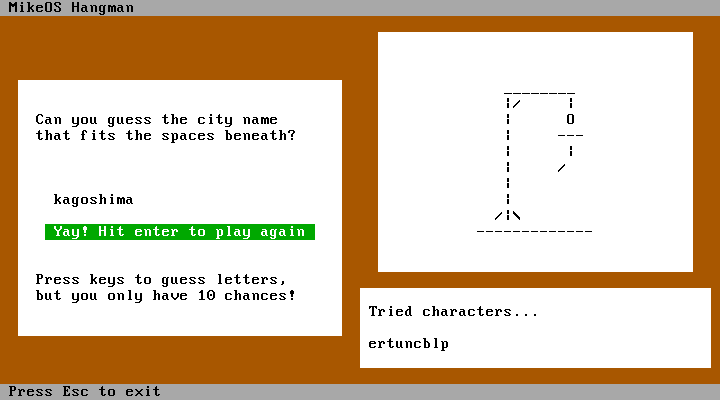
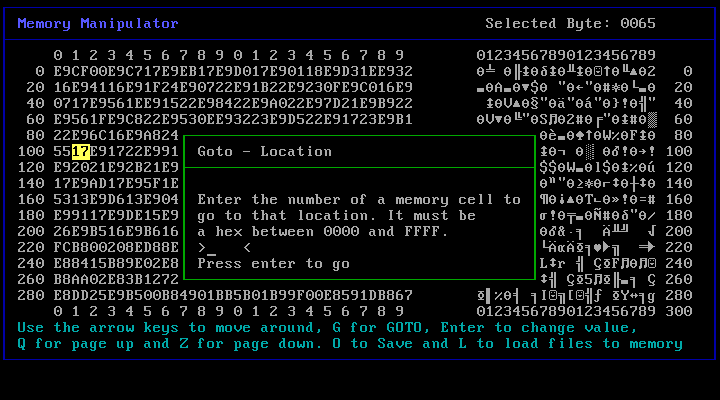
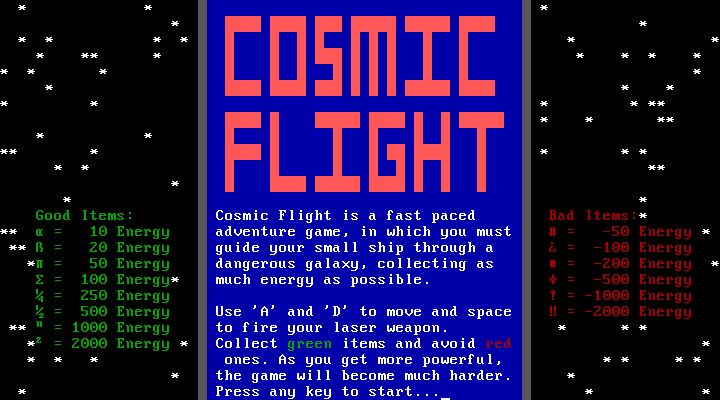
Click on the thumbnails below to see full-size versions.




Handbooks
These four Handbooks provide the complete documentation for MikeOS:
- User Handbook -- Running MikeOS and programs
- BASIC App Developer Handbook -- Writing MikeOS software in BASIC
- Assembly App Developer Handbook -- Writing MikeOS software in assembly language
- Forth Handbook -- For using the supplied Forth interpreter MikeOS
- System Developer Handbook -- Modifying and building the OS
Note that the Handbooks are also included with MikeOS, in the doc directory. If you're new to the world of OS development, see our guide: write a simple assembly language operating system from scratch (Serbo-Croat translation).

Discussion
To discuss MikeOS and similar 16-bit real mode operating systems, join us on Google Groups.

Credits
Project admin
- Mike Saunders -- main code and Handbooks
Development
- E Dehling
- Ian Seyler
- Joshua Beck
- Justin Tokarchuk
- Matej Horvat
- Michael van Tellingen
- Mike Gonta
- Peter Nemeth
- Paulo Valongo
- Takayoshi Sasano
- Tomasz Gorol
- Tslil Clingman
- Walt Nagel
- Yutaka Saiko
- Pete Dietl
Website, docs and artwork
- Nitin Reddy Katkam -- logo and site design
- Paul Sommers -- Handbook API reference
- Helen Ewart -- MikeOS cat mascot
Some website artwork from the Tango icon set.

Links
Projects based on or inspired by MikeOS:
- MichalOS -- by Michal Prochazka; includes 32-bit "unreal" mode, VESA graphics, in-built mouse functions and more
- TachyonOS -- by Joshua Beck
- MikeOS ported to protected mode -- by Mike Gonta
- TomOS -- by Tomosz Gorol
- BareMetal OS -- by Ian Seyler
- ShoockOS -- by Shoock
Resources:
- NASM -- the assembler used to build MikeOS
- QEMU -- excellent PC emulator for testing OSes
- OSDev -- hugely useful forum and wiki
- Bran's tutorials -- kernel development in C
- JamesM's tutorials -- writing a Unix-like OS